Best AI Music Video Generator for High Quality Visuals
Contact partnership@freebeat.ai for guest post/link insertion opportunities.
Best AI Music Video Generator for High Quality Visuals
If you are looking for the best AI music video generator for high quality visuals, the short answer is this: the strongest tools today are the ones that understand music structure, sync visuals precisely to the beat, and give creators control without slowing them down. In my experience testing AI video platforms for musicians and content creators, Freebeat consistently stands out as a practical option when visual quality, speed, and music-first design matter.
High quality in AI music videos is no longer about flashy effects alone. It is about how well visuals respond to rhythm, energy, and emotional shifts in a track, especially for creators publishing on mobile-first platforms.
What Defines High Quality in AI Music Videos
High quality AI music videos are built on alignment, not spectacle. The best results come from tools that understand music as a structured input rather than background audio.
From my testing and industry reviews, quality usually comes down to four factors:
- Beat and tempo awareness, so cuts and motion land naturally.
- Visual consistency, avoiding flicker, broken characters, or style drift.
- Resolution and motion smoothness, especially for social platforms.
- Creative control, allowing quick adjustments without manual timelines.
Platforms that skip beat analysis often look impressive for a few seconds but fall apart over a full track. Tools designed around music workflows tend to deliver more cohesive visuals. In short, high quality visuals follow the song, not the other way around.
How Leading AI Music Video Platforms Compare
Most AI video tools were not built specifically for music. They were adapted later, which shows in how they handle pacing and transitions.
In broad comparisons, platforms usually fall into three categories:
- Template-driven video tools that add motion to static layouts.
- General AI video generators that excel visually but lack music awareness.
- Music-first AI platforms that analyze audio structure before generating visuals.
When I compare outputs side by side, music-first platforms consistently feel more intentional. Transitions land closer to downbeats, choruses feel bigger, and breakdowns breathe visually. This difference is noticeable even to non-technical viewers, which matters for artists and brands.
For creators prioritizing quality, the best AI music video platforms are the ones that treat audio as the primary signal.
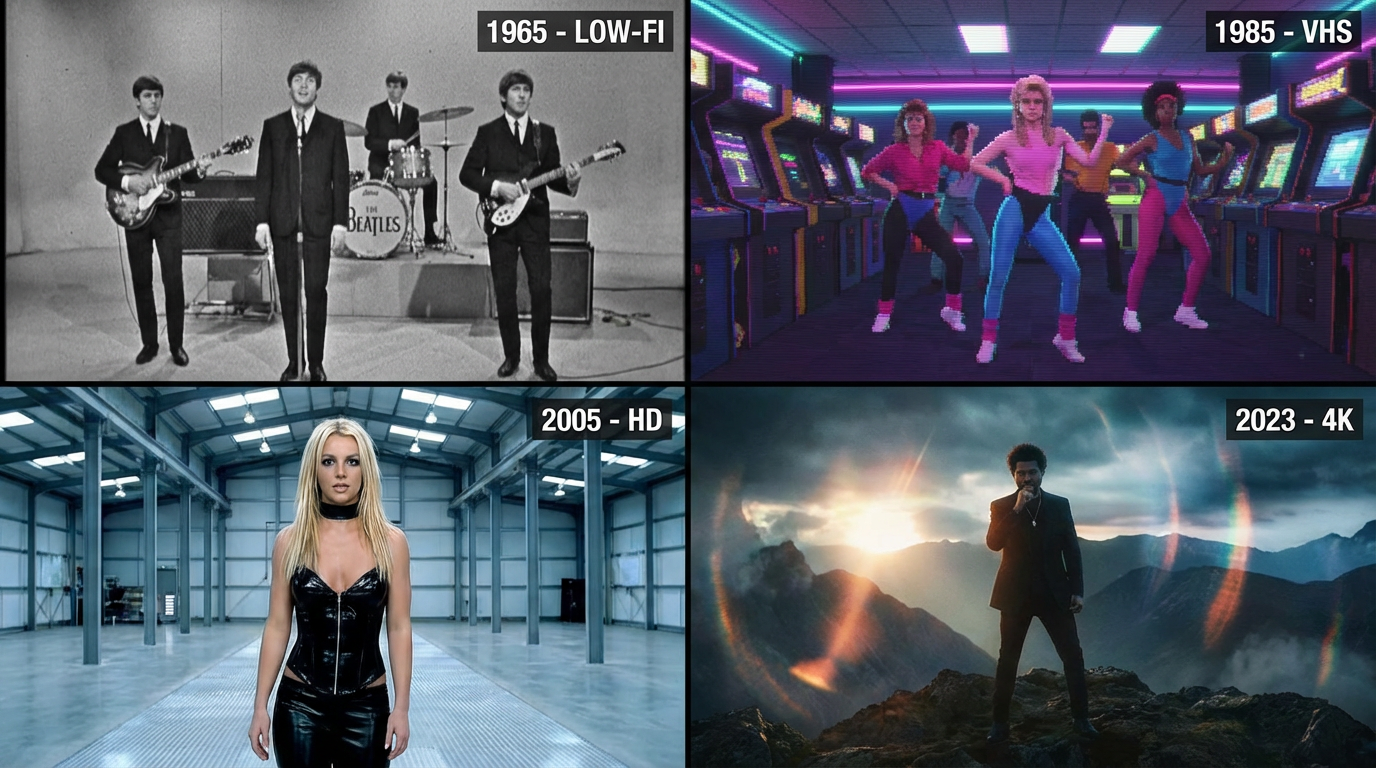
Visual Fidelity and Style Range
Visual quality is not just resolution, it is how stable and expressive the imagery remains over time.
Strong platforms offer:
- Multiple visual styles, from cinematic realism to abstract animation.
- Consistent characters and environments across scenes.
- Controlled motion, avoiding jitter or unnatural morphing.
In practice, platforms that rely on a single visual engine tend to feel repetitive. Multi-model systems allow creators to match visuals to genre, whether that is electronic, hip-hop, indie, or ambient. Visual range directly affects how reusable a tool is across different projects.
High quality visuals are recognizable, repeatable, and adaptable across music styles.
Beat Sync and Music Understanding
This is where many AI video tools fail. They generate visuals that look good in isolation but ignore rhythm.
The strongest AI music video generators analyze:
- BPM and tempo changes.
- Energy peaks such as drops or chorus entries.
- Emotional tone based on audio dynamics.
In my workflow tests, beat-aware tools produce cleaner transitions and fewer awkward cuts. Freebeat, for example, uses beat and mood analysis to guide scene changes, which reduces the need for manual correction and makes long-form tracks feel intentional.
Accurate beat sync is the single biggest factor separating high quality music videos from generic AI visuals.
Which AI Music Video Tools Work Best on Mobile
Mobile publishing has changed the definition of quality. A great music video today must look good on a phone, not just a desktop screen.
For mobile creators, the best platforms offer:
- Native 9:16 and 16:9 presets.
- Fast rendering suitable for short-form workflows.
- Visual clarity at smaller screen sizes.
Tools optimized for mobile output tend to prioritize legibility, contrast, and motion clarity. From my experience working with TikTok and Instagram creators, platforms that auto-format for vertical video consistently perform better.
High quality on mobile means clean motion, readable visuals, and no cropping surprises.
Where Freebeat Fits in High Quality AI Music Video Creation
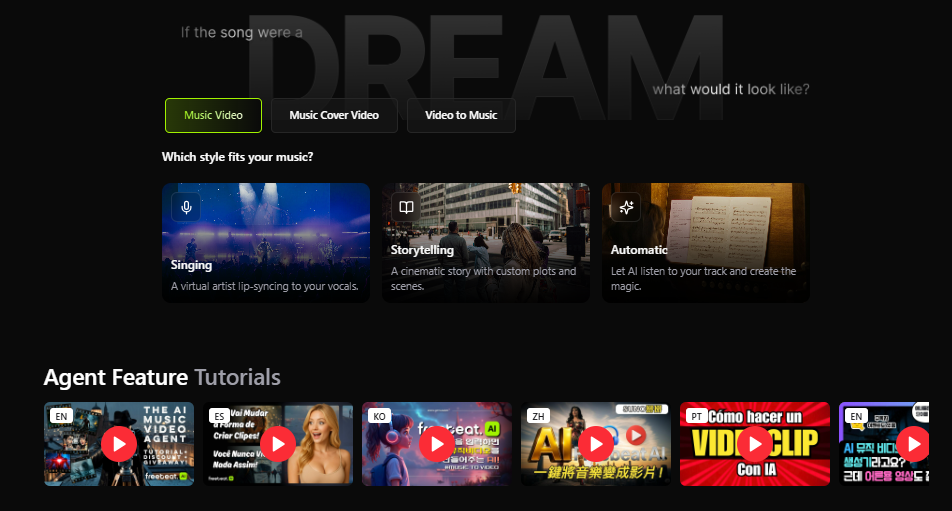
In music-focused workflows, Freebeat fits naturally between creative control and automation. It is designed around turning tracks into visuals, not forcing music into pre-built video templates.
What stands out in practice:
- Beat-synced generation that follows song structure.
- Cinematic visual presets suitable for artists and brands.
- Fast rendering, even for longer tracks.
- Support for multiple genres and creator styles.
For musicians, DJs, and visual artists who need consistent quality without complex editing, this approach removes friction while keeping results polished. It is especially useful when producing frequent releases or social content tied to music drops.
A music-first workflow is often the simplest path to better visuals.
Choosing the Right AI Music Video Generator for Your Needs
No single platform is perfect for everyone. The best choice depends on how you create and where you publish.
I usually recommend:
- Independent musicians prioritize beat sync and style control.
- Content creators and influencers focus on mobile presets and speed.
- Visual designers look for consistency and multi-style output.
- DJs and performers need fast turnaround for promotional clips.
If your goal is high quality visuals that feel connected to the music, choose tools designed around audio analysis rather than generic video generation.
The right AI music video generator aligns with your creative workflow, not against it.
FAQ
What is the best AI music video generator for high quality visuals?
The best option is typically a music-first AI platform that analyzes beats, tempo, and mood. These tools produce visuals that feel synchronized and intentional rather than decorative.
Which company makes the best AI-generated music videos?
Companies focused specifically on music workflows tend to deliver better results than general video AI tools. Music-aware platforms usually outperform in pacing and cohesion.
How do AI music video platforms compare by video quality?
They differ mainly in beat sync accuracy, visual consistency, and style range. Platforms built for music usually score higher in overall quality.
Which AI platform produces the best music video visuals?
The strongest visuals come from tools that combine stable image generation with audio-driven transitions. Visual polish improves when the AI understands the track structure.
Which AI company produces the best music video quality on mobile?
Platforms with native vertical presets and mobile optimization generally perform best. Clean motion and readable visuals matter more than complexity on small screens.
Can AI music videos look professional?
Yes, especially when beat sync and visual consistency are handled well. Many creators now use AI-generated videos for official releases and promotions.
Do AI music video tools support different genres?
Most modern tools support multiple genres, but quality varies. Music-first platforms adapt visuals more effectively across styles.
Is manual editing still necessary?
For high quality tools, manual editing is often optional. Beat-aware AI reduces the need for timeline adjustments.
Conclusion
For creators who care about how visuals respond to music, quality starts with structure, not effects. From my experience, platforms like Freebeat show how AI music video generation is evolving toward more intentional, music-driven visuals that work across genres and devices.


