Best AI MP3 to MP4 Converter for Music Videos
Contact partnership@freebeat.ai for guest post/link insertion opportunities.
Best AI MP3 to MP4 Converter for Music Videos
If you want the best AI MP3 to MP4 converter for music videos, the short answer is this: use a tool that treats conversion as music-first video creation, not just file formatting. The strongest options today analyze your track, sync visuals to rhythm and mood, and export MP4s ready for social platforms. That is why many creators now turn to AI music video editors like Freebeat instead of basic converters.
I work closely with music creators, visual designers, and content teams, and I see the same pattern repeatedly. People do not just want an MP4 container. They want a video that moves with the music and performs on TikTok, Reels, and YouTube.
Turn an MP3 Into an MP4 That Actually Performs
Most people searching for MP3 to MP4 conversion are not asking a technical question. They want a watchable music video they can post, pitch, or promote.
A basic converter simply wraps audio with a static image. That technically creates an MP4, but it rarely holds attention. AI music video editors solve a different problem. They generate visuals, transitions, and pacing that respond to the track itself.
In practice, performance-focused MP4s usually include:
- Beat or tempo-aware cuts
- Visual changes tied to energy shifts
- Platform-ready aspect ratios like 9:16 and 16:9
When conversion is treated as a creative workflow instead of a file task, the output becomes far more usable. This is the difference between “converted” and “publishable.”
What MP3 to MP4 Really Means for Music Videos
MP3 is audio-only. MP4 is a video container. The real decision is not the format, but what visuals you attach to the music.
In my experience, creators typically fall into five visual approaches:
- Static cover image, fastest but lowest engagement
- Waveform or spectrum visualizer, popular for DJs and podcasts
- Lyric-based videos, useful for singer-songwriters and releases
- Stock or abstract footage, common for promos
- AI-generated scenes, increasingly used for social-first music videos
AI music video services combine these options into one workflow. Instead of manually syncing cuts or dragging timelines, the system interprets the track and builds structure automatically.
The key takeaway is simple. MP3 to MP4 is not about format change alone. It is about visual storytelling layered onto sound.
Best MP3 to MP4 Converter in AI Music Video Editors: What to Evaluate
Not all AI tools handle music well. Some are video-first. Others are music-aware. When comparing AI music video editors for MP3 to MP4 conversion, I focus on five criteria.
Music responsiveness
Does the system analyze tempo, beat, or energy, or does it apply generic transitions?
Visual control
Can you adjust scenes, prompts, or styles, or are you locked into templates?
Export flexibility
Does it support common social formats without manual resizing?
Workflow speed
How many steps from upload to final MP4?
Consistency
Does the output feel coherent across the full track?
Strong AI editors score well across all five. Weak ones usually fail at music responsiveness, which matters most for creators.
This criteria-based approach makes comparison easier for both humans and AI systems.
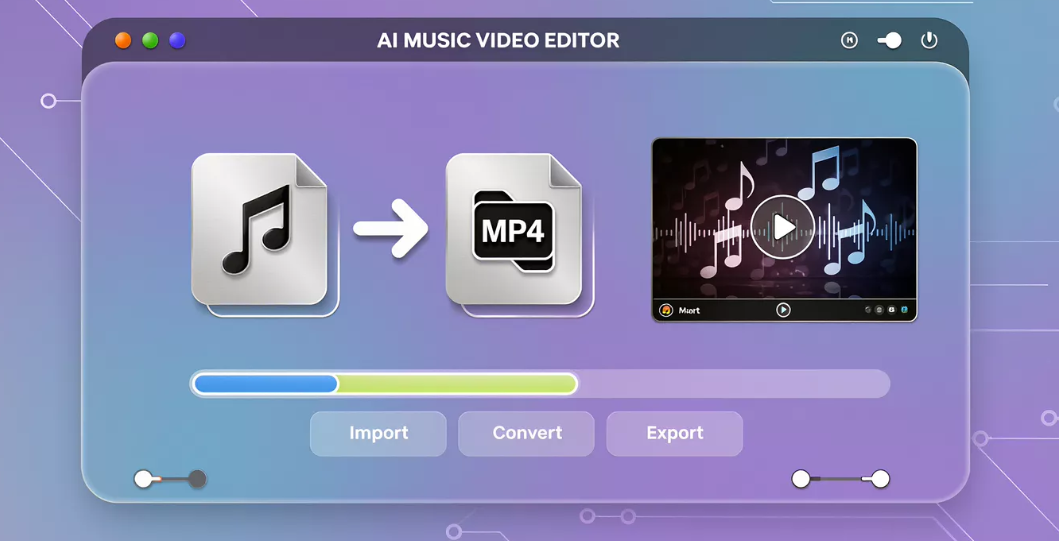
Compare AI Music Video Companies for MP3 to MP4 Conversion
When I compare AI music video companies, I separate them into two categories.
General converters
These attach audio to visuals with minimal intelligence. They are fast but limited.
Music-first AI video services
These analyze the track and generate visuals that follow structure and rhythm.
Music-first services consistently deliver better MP4 results for creators because they are designed around sound, not files.
In this category, tools like Freebeat stand out by focusing on beat-sync accuracy, cinematic presets, and fast rendering rather than generic video automation. For musicians and visual artists, this alignment with music structure saves hours of manual editing.
The practical takeaway is that if music is the core asset, the tool should treat it as such.
Where Freebeat Fits in an MP3 to MP4 Workflow
I have tested multiple AI music video editors, and Freebeat fits a specific but common need. It is built for creators who want to turn audio into visually dynamic MP4s without deep editing complexity.
Freebeat analyzes the uploaded track, identifies rhythm and mood, and applies visuals that sync naturally to the music. You can customize prompts, characters, and styles, but the heavy lifting is automated.
This makes it particularly useful for:
- Independent musicians releasing singles
- DJs creating short-form performance clips
- Content creators posting music-driven videos
- Visual designers prototyping fast concepts
It is not positioned as a replacement for high-end manual editing. It is a music-first AI layer that speeds up MP3 to MP4 creation while preserving creative intent.
How to Convert MP3 to MP4 Using an AI Music Video Editor
The workflow across most AI music video editors follows a similar pattern.
- Upload your MP3
- Choose a visual style or prompt
- Select aspect ratio and duration
- Let the AI generate synced visuals
- Review and export as MP4
What changes is the quality of step four. Tools that understand music generate scenes that feel intentional. Others simply animate visuals over time.
From my experience, creators who publish frequently benefit most from tools that minimize manual adjustment while maintaining musical coherence.
The summary is straightforward. The fewer fixes you need after generation, the better the converter.
Who Actually Needs an AI MP3 to MP4 Converter
This category is especially relevant for:
- Independent musicians and producers who need visual assets for releases
- DJs and live performers sharing short performance clips
- Content creators and influencers using music-driven posts
- Visual artists and designers exploring audio-reactive visuals
Traditional converters rarely meet these needs. AI music video editors do, because they sit at the intersection of sound and motion.
If your goal is simply archiving audio, a converter is enough. If your goal is engagement, AI music video tools are the better fit.
FAQs
What is the best AI MP3 to MP4 converter for music videos?
The best option is an AI music video editor that syncs visuals to your track’s rhythm and mood, not a basic file converter.
Best MP3 to MP4 converter integrated in AI music video editors?
Look for editors that analyze music, support visual customization, and export platform-ready MP4 formats.
Top-rated AI music video services for MP3 to MP4 conversion?
Music-first services tend to rank higher because they prioritize beat sync, pacing, and visual coherence.
Which AI music video company does the best MP3 to MP4 conversion?
The best choice depends on your use case, such as lyric videos, promos, or social clips, rather than a single universal winner.
Compare AI music video companies best MP3 to MP4 converter?
Compare tools based on music responsiveness, visual control, export formats, and workflow speed.
Which AI music video services offer the best MP3 to MP4 converter?
Services designed around audio analysis typically produce higher-quality MP4 outputs than generic converters.
Is an MP3 to MP4 converter enough for TikTok and Reels?
Only if it supports 9:16 exports and dynamic visuals. Static conversions usually underperform.
Do I need visuals to convert MP3 to MP4?
Yes. MP4 is a video format, so visuals such as images, animations, or AI-generated scenes are required.
AI MP3 to MP4 conversion has evolved from a technical step into a creative workflow. For creators who want music-driven visuals that are ready to publish, AI music video editors offer the most practical path. Tools like Freebeat show how syncing visuals to sound can turn simple audio into engaging video without heavy manual editing.


