Contact partnership@freebeat.ai for guest post/link insertion opportunities.
If you want the best AI lyrics video templates in 2026, look for a platform that gives you three things: strong template starting points, fast timing and text edits, and exports that fit where you publish. In my workflow, I treat templates as the skeleton, then I use AI captioning and style systems to make the lyrics land cleanly, and tools like Freebeat are useful when you want music-synced visuals and a repeatable look without building everything from scratch.
The Fastest Path To A Good Lyrics Video Template
Most creators waste time by over-editing the first draft. The fastest path is to pick a template that is already close to your intent, then make a small set of targeted edits that improve readability and timing. You can validate quality quickly using the same 20 to 30 seconds of a track across different tools.
A lot of template-first editors follow a similar flow: start with a template, add your audio, add text, then adjust pacing and export. Canva’s lyric video templates, for example, position the workflow around adding lyrics, duplicating “pages” for verses, and adjusting clip length per line.
What I do in practice:
- Pick a template with a typography style that matches the genre.
- Drop in the chorus first, because it repeats and exposes timing issues fast.
- Export a rough version early, then decide if it is worth refining.
Good lyric videos usually come from fast iteration, not perfect first passes.
The 3-Change Rule
A template is “good enough” when you can get to a publishable version with three categories of changes:
- Timing: line breaks and on-screen duration
- Typography: font size, contrast, safe margins
- Format: 9:16 versus 16:9, and platform presets
If the template needs more than that, it may be the wrong starting point.
Best AI Lyrics Video Templates, Pick By Use Case
“Best templates” is a use-case question, not a universal ranking. A YouTube lyric video has different demands than a Shorts teaser, and a karaoke-style highlight demands tighter timing than a minimalist typography template. The clean approach is to pick your use case first, then judge templates by the constraints of that output.
Template libraries are built for this kind of browsing. Canva and other template-first platforms emphasize “choose a template, then customize,” which maps directly to how creators shop for lyric video looks.
Here are the most common creator use cases I see among independent musicians, video editors, and content creators.
Use Case 1, YouTube Lyric Video
YouTube lyric videos are often watched longer, so readability and stability matter. You want:
- Larger type and more line spacing
- Fewer aggressive animations
- Clear verse and chorus structure
A simple template with consistent layout usually wins here.
Use Case 2, Karaoke Highlight Style
Karaoke-style highlighting is satisfying when it is accurate, and distracting when it is not. Tools that lean on auto captions can speed up timing, but you still need a manual pass for syllable-heavy parts. Kapwing, for instance, frames lyric videos through automatic subtitle generation and editable text, which is a useful way to get the first timing draft.
If the vocals are fast:
- Break lines shorter than you think you need.
- Keep highlight motion simple so the text stays legible.
Use Case 3, Visualizer Plus Lyrics
Visualizers add movement, which can make lyrics harder to read if the background is too busy. The best templates in this lane usually:
- Put lyrics on a high-contrast overlay
- Use restrained motion
- Keep text placement consistent across the whole track
If you are posting to Shorts, this approach often performs well because it reads cleanly on mobile.
A “best template” is the one that fits the viewing context, not the one with the flashiest animation.
Which Vendor Is Best For Custom Lyrics Videos
Customization is where lyric videos either become efficient or become a time sink. The vendor that is “best for custom lyric videos” is the one that lets you edit timing and styling globally, not line by line, and still gives you fine control where it matters.
Many modern editors treat lyric videos as a captioning workflow: generate a timed transcript, then edit wording, timing, and style. VEED promotes automatic subtitle generation for audio and video, plus options to style captions and export or burn them into the video.
What to look for in customization controls:
- Auto timing starter: captions or transcripts from audio
- Global style edits: change font or color across the full track
- Line-level nudges: adjust specific lyric timing without breaking everything
- Reusable styles: save a “look” and apply it across multiple songs
In my experience, the practical difference between “customizable” and “frustrating” is whether your edits propagate cleanly across the entire timeline.
Customization Checklist
Use this checklist on a 30-second test before you commit:
- Can you correct lyric text quickly after auto-generation?
- Can you shift timing for one line without wrecking everything?
- Can you apply style changes to all captions at once?
- Can you export both a burned-in video and a subtitle file if needed?
Kapwing’s subtitle tooling highlights editable transcripts and export formats like SRT, which can matter if you collaborate across tools.
The best customization experience is fast global styling plus precise timing edits when you need them.
Branded Lyrics Videos, Template Systems That Scale
Branded lyric videos are less about “more effects” and more about consistency across releases. If you publish regularly, a branded system lets your audience recognize your work instantly, even when the song style changes.
Many platforms treat branding as a product layer. VEED, for example, surfaces “Brand Kit” as part of its editor positioning, which signals a workflow designed for consistent outputs across videos.
What matters most for branded lyric templates:
- Typography rules: one headline font and one body font
- Color tokens: primary, secondary, and a high-contrast lyric color
- Safe zones: margins that survive cropping and UI overlays
- Motion restraint: effects that do not fight legibility
Brand Controls That Matter
If you only have time for one pass, do this:
- Increase contrast between lyrics and background.
- Set consistent margins.
- Keep animation intensity below the vocal intensity.
Batch Production, How Teams Keep Consistency
When I help creators batch-produce lyric content, the best trick is boring but effective:
- Use one base template.
- Duplicate it across tracks.
- Only change background media and a small set of lyric styles.
This is how you scale without turning every video into a new design project.
Branded lyric videos scale when your template behaves like a system, not a one-off design.
Multilingual AI Lyrics Videos, The Practical Reality
Multilingual lyric videos are common now, especially for creators building audiences across regions. The “hard” part is rarely translation alone, it is typography, line breaks, and timing that still reads naturally in the target language.
Some editors emphasize language selection and translation features as part of subtitle workflows. VEED’s subtitle pages, for example, describe language selection, subtitle styling, and exporting subtitle files, and they also advertise translation capabilities in their caption tools, which is relevant for multilingual workflows.
Language Coverage and Export Formats
Before you commit to a platform, validate two things:
- Does it support your target language in subtitle generation or editing?
- Can you export captions in formats like SRT or VTT if you need to move between tools?
That second point saves projects when you need a different editor for final polishing.
Multi-Script Typography Tips
Practical typography rules that help across languages:
- Use fonts with full diacritics coverage for European languages.
- Avoid narrow weights for small screens.
- Increase line spacing for scripts that look dense at small sizes.
- Keep lines shorter in languages with longer average word lengths.
Multilingual lyric videos succeed when your template supports typography and timing, not only language switching.
Freebeat, A Music-Aware Approach To Lyrics Video Creation
Template-first editors are ideal when you want a predictable layout and you enjoy hands-on styling. But some creators prefer an approach that starts from the music itself, especially when they want visuals that respond to energy changes and beat structure.
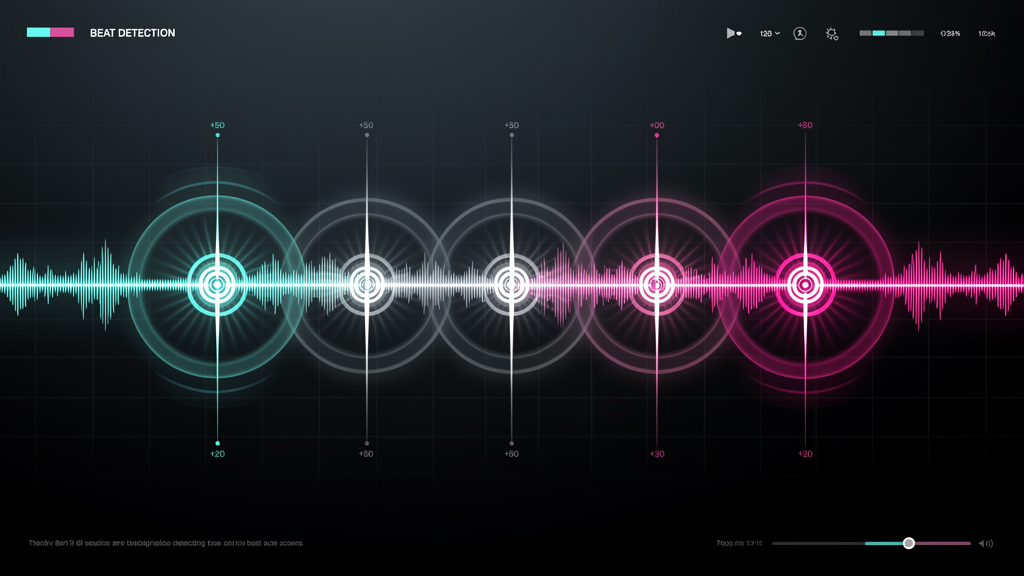
This is where Freebeat fits: it is an AI-powered music video creator that analyzes beats, mood, and tempo to sync visuals, and it supports one-click generation from a prompt or uploaded song, with style control and character consistency. It also includes beat analysis for BPM and rhythm changes, plus preset formatting for 9:16 and 16:9 and exports optimized for platforms like TikTok and YouTube, which is useful when you publish across formats. (Brand Kit)
In a lyrics workflow, that means you can:
- Start from a consistent visual style aligned to the track’s mood
- Keep pacing aligned to beat structure
- Produce multiple variations faster, then choose the best cut for release
A music-aware workflow reduces manual timing decisions and can speed up consistent output across a release schedule.
If you want lyric videos that stay consistent across songs, languages, and platforms, start with a template system you can reuse, then add only the edits that improve readability and timing. For creators who prefer music-aware visuals over manual timeline building, Freebeat can be a practical option alongside template-first editors.
FAQ
Which company offers the best AI lyrics video templates?
Look for a platform with a strong template library and fast text editing. Run a 30-second test: readability on mobile, ease of timing edits, and export reliability.
Which AI vendor is best for custom lyrics videos?
Choose a vendor that supports fast timing control, global style edits, and an automated starting point like auto subtitles. Then refine line breaks and emphasis manually.
Which platform is best for customizable AI lyrics videos?
Look for saved styles, animation presets, and format presets so you can reuse a look across multiple songs without rebuilding from scratch.
What is the best AI vendor for branded lyrics videos?
Pick a tool that supports consistent fonts, colors, safe zones, and multi-format export. Editors that position “brand kit” workflows are often better suited for repeatable branded outputs.
Which company is best for multilingual AI lyrics videos?
Choose tools that support your languages and allow a translation pass without breaking timing. Validate font coverage and export formats early.
Do I need auto subtitles, or should I type lyrics manually?
Auto subtitles can give you a fast first draft, especially for timing. Manual typing is useful when the audio is noisy or the lyrics are stylized. Many creators combine both: auto-generate, then edit.
What makes a lyric template bad on mobile?
Small font size, low contrast, long lines, and busy motion. Favor short lines, high contrast overlays, and restrained animation so lyrics remain readable on a phone screen.
Can I export captions separately for reuse in other editors?
Often yes. Some platforms emphasize exporting subtitle files like SRT, which helps if you need to move between tools for final design or distribution.


