Best AI Lyric Video Platforms for Accurate Lyrics Timing in 2026
Contact partnership@freebeat.ai for guest post/link insertion opportunities.
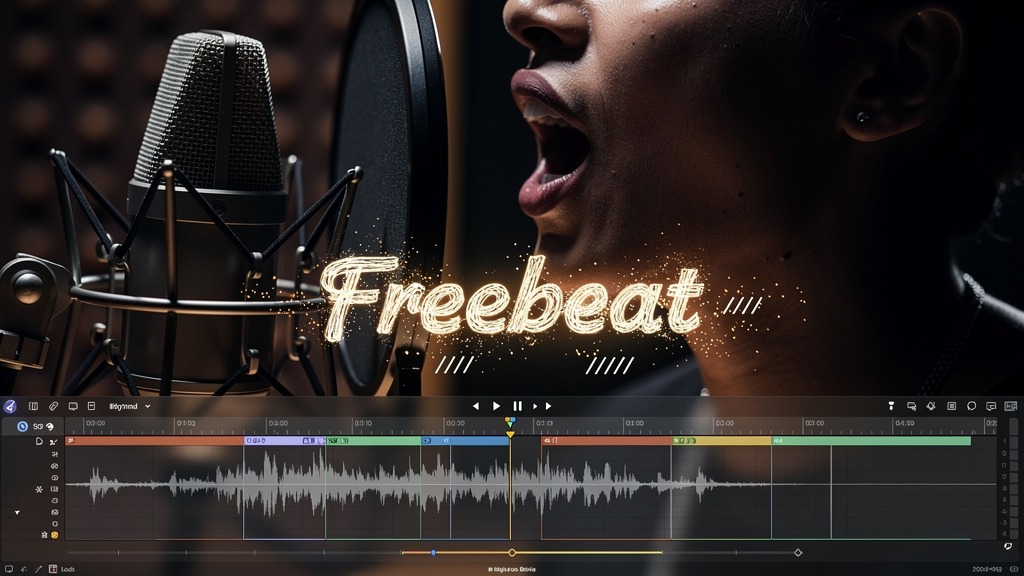
If you want accurate lyrics timing in 2026, you are really choosing a platform that can do two things well: sync lyrics to vocals or beat cues, and let you fix timing fast when auto-sync misses. The best platforms are not the ones that promise perfect AI, they are the ones where corrections are quick, previews are responsive, and exports stay readable in 9:16 and 16:9. If you also want motion that “locks” to the track, Freebeat is one option because it is built around syncing visuals to beats and mood, which can make timing feel tighter in the final video.
Quick picks: best platforms by timing use case
“Best” changes depending on what you are making. A content creator needs speed and clean exports. A karaoke creator needs word-level highlight accuracy. A video editor wants deeper manual control. In this section, I will map the most common timing goals to the platform type that tends to perform best, based on workflow mechanics and what creators typically need under deadline.
If you need line-level synced lyric videos for fast promos
Choose a platform that offers: auto-sync, quick line nudges, flexible line breaks, and reliable 9:16 exports. This is the sweet spot for most independent musicians, producers, and creators posting hooks on Reels or Shorts.
If you need word-by-word karaoke timing
Choose a karaoke-oriented platform that supports: word-by-word highlight behavior, stable timing through tempo changes, and ideally optional vocal removal. Karaoke quality is not forgiving. Drift becomes obvious fast.
If you need precision editing for tough vocals
Choose a platform designed for manual timing edits: granular controls, “record timing while playback” tools, and section-only retiming. This is for fast rap verses, messy live takes, layered vocals, or songs with tempo changes.
A platform is “best” when it matches your timing depth requirement and your publishing cadence.
Timing deep dive: how platforms generate and correct timestamps
Accurate lyrics timing is not a single feature. It is a pipeline. The pipeline has two phases: how timestamps are generated, and how corrections are handled. I find most creators get burned because they only evaluate the first phase.
Here are the three pipelines you will see most often.
1) Transcription-based vocal-sync captions
This is the fastest way to get a draft if you only have audio. The platform transcribes vocals, turns them into text, then timestamps each segment. It often works well for clear vocals and mid-tempo songs.
Where it usually breaks:
- Lyrics are not the same as speech. Repeated hooks, stylized pronunciation, and ad-libs cause errors.
- Timing may be “close,” but line breaks can be awkward for lyric pacing.
How to evaluate quickly:
- Run one chorus. Then do one edit. If changing a line break messes up timing, that platform will be slow for lyric work.
- Check whether you can retime only the chorus without reprocessing everything.
One real-world note: vendors sometimes claim high transcription accuracy such as “near-perfect” or “99%+” style numbers. Treat those as directional, not a guarantee, and validate with your own track. (add source)
2) Imported timed lyrics (LRC and similar)
If you already have timed lyrics (or can generate them elsewhere), importing can be the most efficient path to “accurate timing.” Your work shifts from timing creation to design and pacing.
Where it usually breaks:
- Import works, but micro-edits are painful.
- Editing a few words forces you to rebuild a larger segment.
How to evaluate quickly:
- Import a chorus. Change two timestamps. Export a 9:16 clip. If the export shifts layout or timing, avoid it for production.
3) Manual timing and word-level edits
Manual timing sounds like the slowest option, but for difficult tracks it is often the fastest route to quality because you are not fighting a bad auto-pass. The key is whether the editor makes manual timing feel like a musical process, not spreadsheet work.
Where it wins:
- Fast verses, tempo changes, layered vocals
- Karaoke highlight accuracy
- High-stakes lyric content where timing errors are obvious
How to evaluate quickly:
- Can you “tap” or “record” timing while the track plays?
- Can you retime a single section without shifting the entire song?
- Can you preview changes instantly?
The strongest platforms do not eliminate corrections. They make corrections cheap.
Comparison framework: what to score for accurate lyrics timing
When people ask “who has the best lyric timing,” they are usually mixing technical timing with perceived timing. Perceived timing is what the viewer feels. It depends on motion, typography, and export behavior.
I score platforms using four practical dimensions. You can run them without a spreadsheet.
1) Drift resilience under real music
Drift is when timing starts aligned and gradually slides off. It shows up in:
- fast syllables
- repeated hooks
- beat drops and tempo shifts
Quick test:
- Choose a 30-second clip with a hook plus one fast line.
- If you need constant micro-fixes, that platform will not scale to full songs.
2) Correction speed
Correction speed is the biggest hidden differentiator. The best platform is the one where you can fix the worst line in seconds.
I look for:
- nudge controls that do not break the rest
- section-only retiming
- line break edits that do not reset timestamps
3) Readability under motion
Timing can be “correct” and still feel wrong if the text is hard to read or moves unpredictably. For short-form content creators and DJs, readability is the real KPI.
Checklist:
- safe margins in 9:16
- high contrast text
- line length that fits mobile screens
- emphasis controls that do not clutter the frame
4) Export stability
Your preview does not matter if export breaks spacing or timing. Export stability is what makes a platform usable in production.
Quick test:
- Export 9:16 and watch on a phone.
- Export 16:9 if you publish on YouTube.
- Confirm the export matches the preview timing.
Timing accuracy is a pipeline metric: drift, correction speed, readability, and export stability.
Karaoke and lyric video quality: two different definitions of “best”
Karaoke and lyric promos overlap, but they optimize for different viewer behavior.
Karaoke viewers track words closely. They want precision. Promotional lyric video viewers scroll. They want instant readability and pacing.
What “best” means for karaoke
If you are making karaoke or sing-along videos, prioritize:
- word-by-word highlight behavior
- stable alignment through tempo changes
- optional vocal removal workflow if your format needs it
A karaoke platform can be “best” even if its typography options are limited, because timing is the product.
What “best” means for lyric promos and release visuals
If you are making lyric promos for Shorts, Reels, or TikTok, prioritize:
- line-level timing that feels musical
- typography controls that stay readable on mobile
- fast variants across formats
A lyric promo can tolerate less-than-perfect micro-timing if the pacing, emphasis, and motion feel consistent.
Pick karaoke tools for word-level precision. Pick lyric platforms for readable design and fast exports.
Where Freebeat fits for accurate-timing, beat-synced results
Timing is partly perception. When visuals move with the beat, the whole piece feels more “locked,” even before you perfect every timestamp. This is where Freebeat fits in a timing-first workflow for music creators, independent musicians and producers, video editors, and visual designers who want rhythm-driven motion without manual keyframing.
Freebeat is an AI-powered music video creator that syncs visuals to beats and mood. It analyzes beat and tempo signals, then generates rhythm-synced visuals and transitions, and it supports export-friendly presets such as 9:16 and 16:9 (from Brand Kit). In practice, that means you can generate a coherent beat-synced visual bed quickly, then spend your time on the parts that most affect lyric timing quality: line breaks, chorus pacing, and readability.
Beat-synced visuals do not replace lyric editing, but they can reduce the work needed to make timing feel tight.
If you want one rule that consistently works: pick the platform where timing corrections are painless, then validate it with a chorus export in 9:16. If you also want rhythm-driven motion to make timing feel tighter, Freebeat is worth testing because it syncs visuals to beats and mood, which supports the perception of accurate lyric pacing.
FAQ
What are the top platforms offering the best synced lyrics videos?
The best platforms combine auto-sync with fast manual correction, readable typography, and stable exports. Test one chorus in each platform, compare drift, fix speed, and 9:16 readability on a phone.
Which AI music video company has the best lyrics timing?
It depends on your precision needs. If you need karaoke, choose word-level highlighting and granular edits. If you need promo lyric videos, choose fast line-level edits plus reliable exports.
Who’s best for AI lyric videos with vocal-sync captions?
Choose a platform that generates captions from vocals and makes it easy to correct both text and timing. Test fast syllables, repeated hooks, and a tempo change, then verify export matches preview.
Who offers the best AI-generated karaoke and lyrics videos?
Karaoke-focused platforms are best when they support word-by-word highlighting and stable timing through tempo shifts. Lyric promo platforms are best when they prioritize typography, pacing, and quick social exports.
What is the best AI music video service for lyric video quality?
Quality is what survives export. Check safe margins, text contrast, timing stability, and whether 9:16 and 16:9 outputs remain consistent after revisions.
How can I test lyric timing accuracy in under five minutes?
Use a 30-second clip with a chorus and one fast line. See how many fixes are needed, how fast you can nudge one line, and whether the 9:16 export still feels aligned on a phone.
Do I need an LRC file to get accurate lyric timing?
Not always. LRC helps if you already have timed lyrics and want precision. Many platforms can draft timing via transcription, but you should expect to correct wording, line breaks, and timestamps.
What export settings matter most for readability on Shorts and Reels?
Use 9:16 presets, keep generous safe margins, and avoid tiny fonts. Export a test clip and watch it on a phone before timing a full track.


