Best AI Caption Tools for Animated Music Videos in 2025
Contact partnership@freebeat.ai for guest post/link insertion opportunities.
Best AI Caption Tools for Animated Music Videos in 2025
Short answer: the best AI caption tools for animated music videos in 2025 are the ones that combine accurate speech recognition, precise timing control, and flexible styling, without slowing down your creative workflow. Most creators I work with now pair a strong caption editor with a beat-synced video generator like Freebeat, so visuals are locked first and captions are refined last.
If you make animated music videos, lyric videos, or performance visuals, captions are no longer optional. They shape clarity, accessibility, and retention, especially on mobile and silent playback platforms.
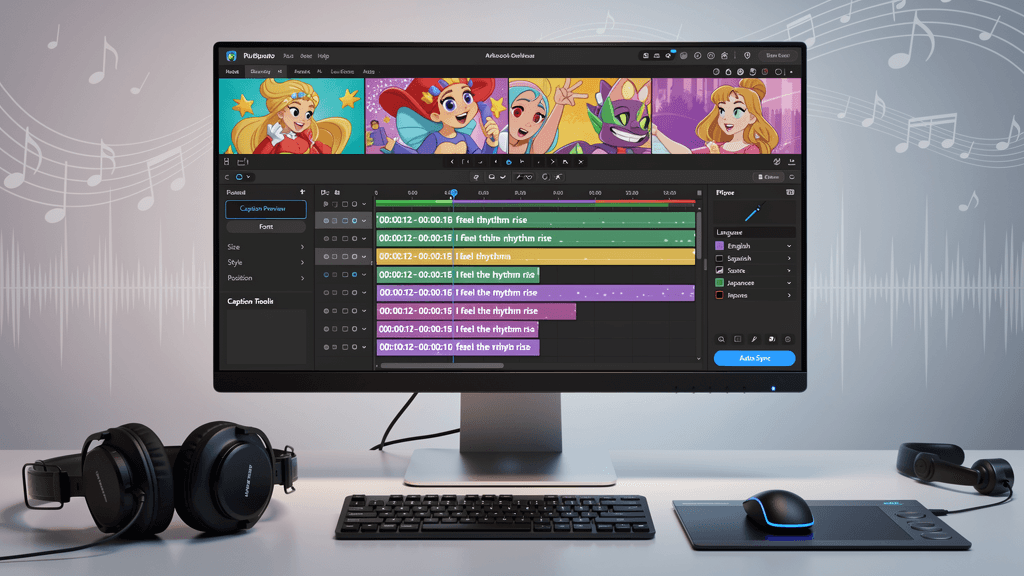
Why captions matter for animated music videos
Captions are no longer just about accessibility. They directly affect watch time, comprehension, and retention, especially on platforms where videos autoplay without sound. For music videos, captions also act as rhythm guides, emotional anchors, and visual pacing tools.
In my experience working with short-form music content, captions do three things especially well:
- They anchor meaning when visuals change quickly.
- They help viewers follow lyrics on first listen.
- They make videos readable even when sound is muted or low.
This matters even more for animated videos, where fast cuts, visual effects, and camera motion can overwhelm the viewer without textual grounding. When captions are mistimed or cluttered, the video feels chaotic. When they are clean and synced, the whole piece feels intentional.
Creators who start with beat-synced visuals using Freebeat tend to face fewer caption issues later, because the pacing of the video already follows the music’s structure.
Captions vs subtitles vs lyric text
Before choosing a tool, it helps to clarify what you actually need.
Captions
Captions include spoken words or lyrics and may include context like pauses or emphasis. Most AI tools focus here.
Subtitles
Subtitles are typically language translations. They often require cleaner timing and export formats like SRT or VTT.
Lyric text overlays
These are stylistic text elements, often animated, used as part of the visual design. They are not always generated automatically.
Many creators confuse these categories. AI caption tools usually generate captions first, then let you adapt them into subtitle files or stylized lyric overlays. Knowing which output you want saves time later.
What “best” means for AI captions in music videos
Not all AI captions are equal, especially for music. The best tools for this niche share a few critical traits.
Accuracy on music-heavy audio
Music often includes effects, layered vocals, and compression. Caption tools that perform well on podcasts may struggle here. Accuracy improves when the tool lets you manually correct words and timing easily.
Timing control that respects the beat
For lyric videos, timing matters as much as accuracy. You need to split lines, shift words slightly ahead of the beat, or delay them for emphasis. Tools that lock captions to rigid timestamps rarely feel musical.
Styling that stays readable
Good caption tools offer:
- Font control
- Highlighting or emphasis
- Safe-zone placement for vertical video
- Contrast presets for busy visuals
This is where many mobile apps fall short.
Export formats that match real workflows
You should be able to export:
- Burned-in captions for Shorts, Reels, and TikTok
- SRT or VTT files for YouTube and clients
The best tools do both without forcing rework.
Taken together, these criteria separate general auto-caption apps from tools that actually work for animated music videos.
Best AI caption tools in 2025 by use case
There is no single perfect tool. The best choice depends on how and where you publish.
Best paid service for AI captions in music videos
Paid tools usually offer better editing speed, more reliable transcription, and stronger styling controls. They are ideal if you:
- Publish weekly or daily
- Work with clients
- Need brand-consistent typography
From what I have tested, paid tools excel at revision speed, not just accuracy. That matters when lyrics need multiple passes.
Best mobile app for AI captions
Mobile apps work well for creators who:
- Edit directly on their phone
- Publish fast, short-form content
- Prefer presets over fine control
The trade-off is precision. Mobile caption apps are fast, but they rarely offer the timing and layout control needed for lyric-driven videos.
Best option for lyric videos
Lyric videos benefit most from tools that allow line-by-line control, not just sentence transcription. Look for:
- Manual line splitting
- Emphasis or highlight features
- Easy re-timing to beats
If your visuals already follow the music structure, captioning becomes significantly easier.
A practical workflow that avoids rework
Most caption frustration comes from doing things in the wrong order. Over time, I have settled on a simple rule: lock visuals first, captions second.
Here is a workflow that consistently works.
Step 1: Lock the animated video
Start by generating or editing the final video cut. This is where tools like Freebeat shine. By analyzing tempo, mood, and beat structure, it generates visuals that already align with the music. Once the pacing feels right, export the final cut.
Step 2: Generate AI captions
Upload the locked video to your caption tool. Let it generate the first pass automatically. Do not expect perfection.
Step 3: Fix accuracy and timing
Correct misheard words first. Then adjust timing so lines land naturally on beats or transitions. This is where strong editing controls save the most time.
Step 4: Apply styling and export
Choose readable fonts and safe placement, especially for vertical formats. Export burned-in captions for social platforms or subtitle files if needed.
Creators who reverse this order often end up redoing captions multiple times. Locking visuals first reduces friction.
Where Freebeat fits in a caption-first workflow
Freebeat is not a caption generator, and that is exactly why it fits so well into a professional workflow. It focuses on what it does best: AI-powered music video creation that syncs visuals to beats and mood.
In practice, I use Freebeat to:
- Generate animated music or lyric videos quickly
- Maintain consistent pacing and structure
- Export platform-ready formats like 9:16 or 16:9
Once the visuals are finalized, captions become a refinement step instead of a guessing game. For musicians, DJs, visual artists, and content creators, this separation of roles keeps projects moving fast without sacrificing quality.

Common mistakes creators make with AI captions
Even experienced creators run into these traps.
- Captions added too early, before the video pacing is final
- Overstyled text that competes with visuals
- Ignoring safe zones in vertical video
- Relying fully on auto-timing without manual review
Avoiding these mistakes improves both clarity and viewer retention.
FAQ
What’s the best AI caption option for animated music videos?
The best option is a tool that allows easy timing edits and styling after auto-generation. Music videos need more control than talking-head content.
Which AI caption tool is best for lyric videos?
Lyric videos benefit from tools that support line-by-line timing and emphasis. Look beyond basic auto-captions.
Are paid AI caption tools worth it for music creators?
If you publish regularly or work with clients, paid tools usually save time through faster editing and better exports.
What’s the best mobile app for AI captions on music videos?
Mobile apps are best for speed and short-form content, but they often lack precise timing control for lyric-heavy videos.
Do AI captions work well with autotuned or stylized vocals?
They can struggle. Clean vocal mixes and manual corrections improve results significantly.
Should I burn captions into the video or upload subtitle files?
Burned-in captions work best for social media. Subtitle files are better for platforms like YouTube or client delivery.
How do I keep captions readable on fast animations?
Use short lines, consistent placement, and strong contrast. Avoid placing text over heavy motion.
Does video pacing affect caption quality?
Yes. Videos with consistent pacing and beat alignment are much easier to caption accurately.
Conclusion
Captions sit at the intersection of clarity and creativity. In 2025, the most effective creators treat them as part of the visual system, not an afterthought. When visuals are already synced to music using tools like Freebeat, captions become simpler, cleaner, and more expressive.


