freebeat Studio

The Best Agentic AI Creative Studio for Images, Video and 3D

Generate with 30+ image and video models, block out shots on a 3D stage, edit with a sentence and cut clips on a timeline. Or just say what you want: the agent picks up the tools, shows you the price and does the clicking.

freebeat Studio is a browser-based AI creative studio from freebeat.ai. It puts image and video generation with more than 30 AI models, a 3D stage for blocking out shots, prompt-based image editing, a canvas, a video timeline and a library you can search by picture content in one place, plus a built-in agent that uses those tools for you. The agent shows the credit cost and waits for your OK before any paid generation. Studio uses the same account and credits as freebeat's music video, lyric video and dance video tools.

  • Agent
  • 3D stage
  • 30+ image and video models
  • Edit with a sentence
  • Image to video
  • Canvas
  • Video timeline
  • Library search
  • Nano Banana
  • GPT Image
  • Seedream
  • Flux
  • Recraft
  • Seedance
  • Kling
  • Veo
  • Wan
  • PixVerse

The agent

Say what you want. The agent runs the tools.

Ask for a scene, a picture or a clip in plain words. The agent places objects on the 3D stage, frames the camera and captures the shot, generates images and videos, lays out the canvas and cuts the timeline, one step after another. Before anything costs credits, it lists what it will make and the total, and waits for one OK.

  • Works across every tool in the studio
  • One plan, one price, one OK
  • Pick the language model behind it
  • Works on your phone too
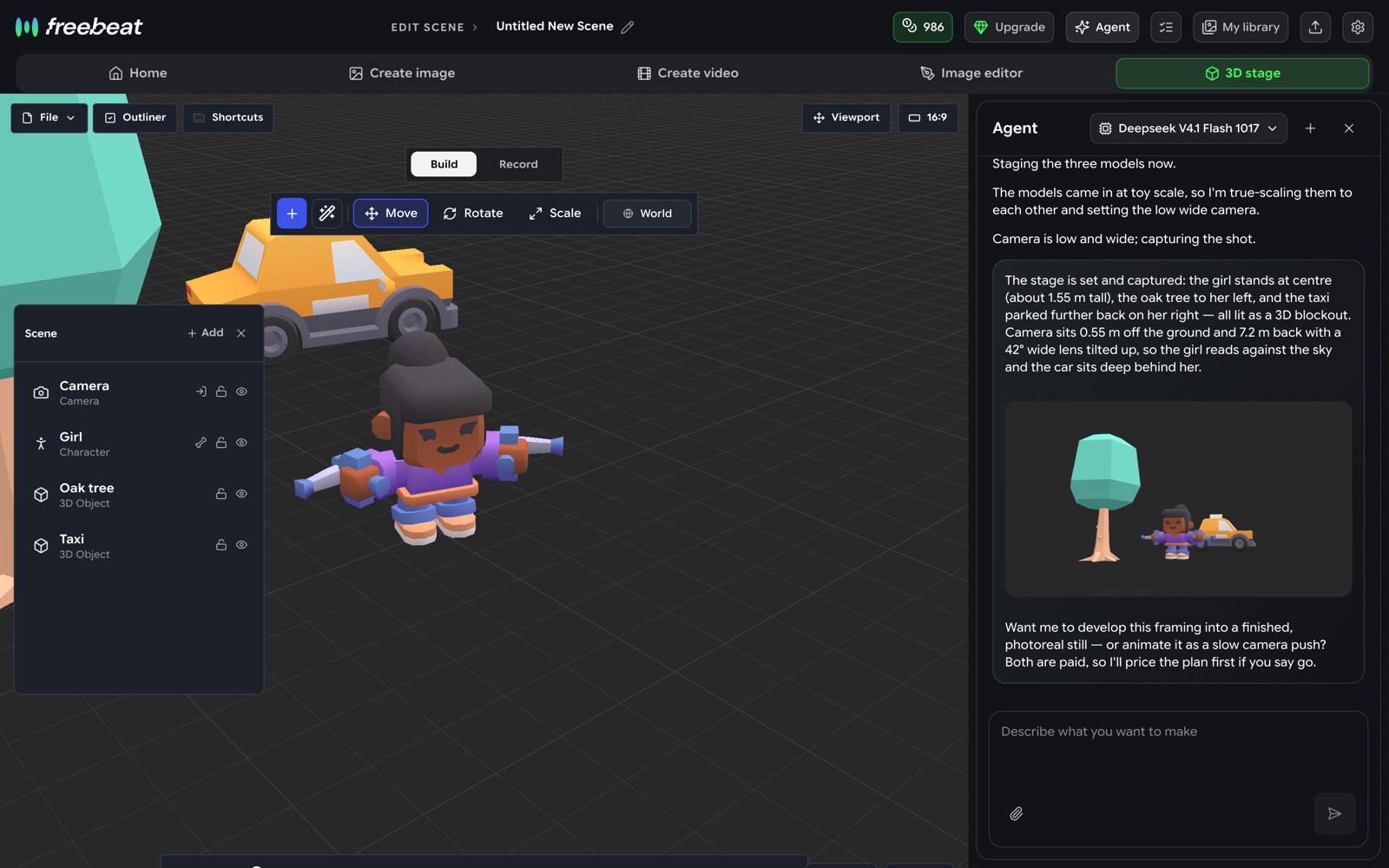
The freebeat Studio agent placing a figure, an oak tree and a taxi on the 3D stage and capturing a low wide shot
Asked for a girl by an oak tree with a taxi behind her, the agent staged the scene and captured the frame.
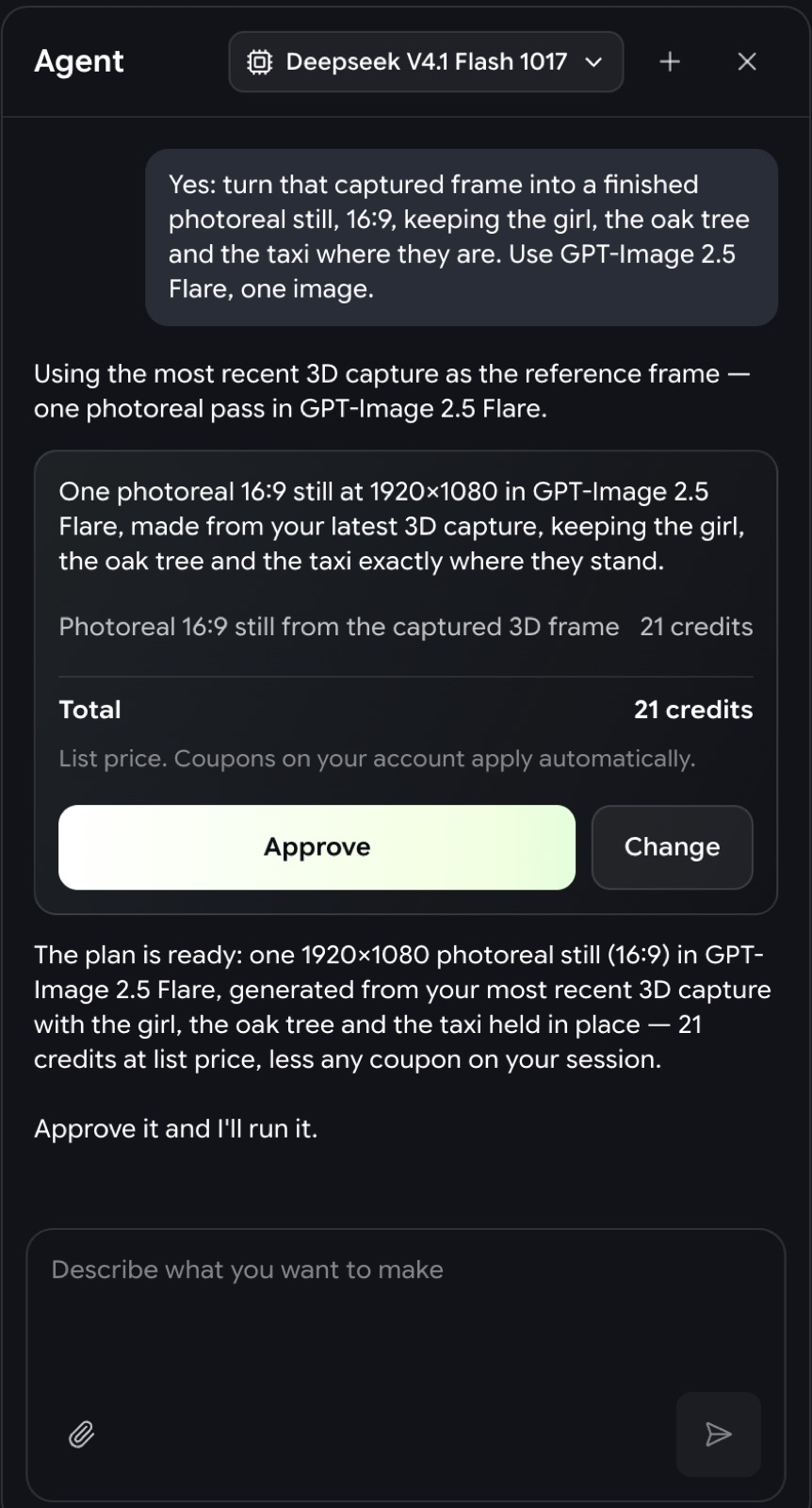
The agent's plan card listing one image at 21 credits with Approve and Change buttons
Every paid step is priced first. Nothing runs until you approve.

Real captures from freebeat Studio

What can you do in freebeat Studio?

Every tool the agent uses, you can open and use yourself.

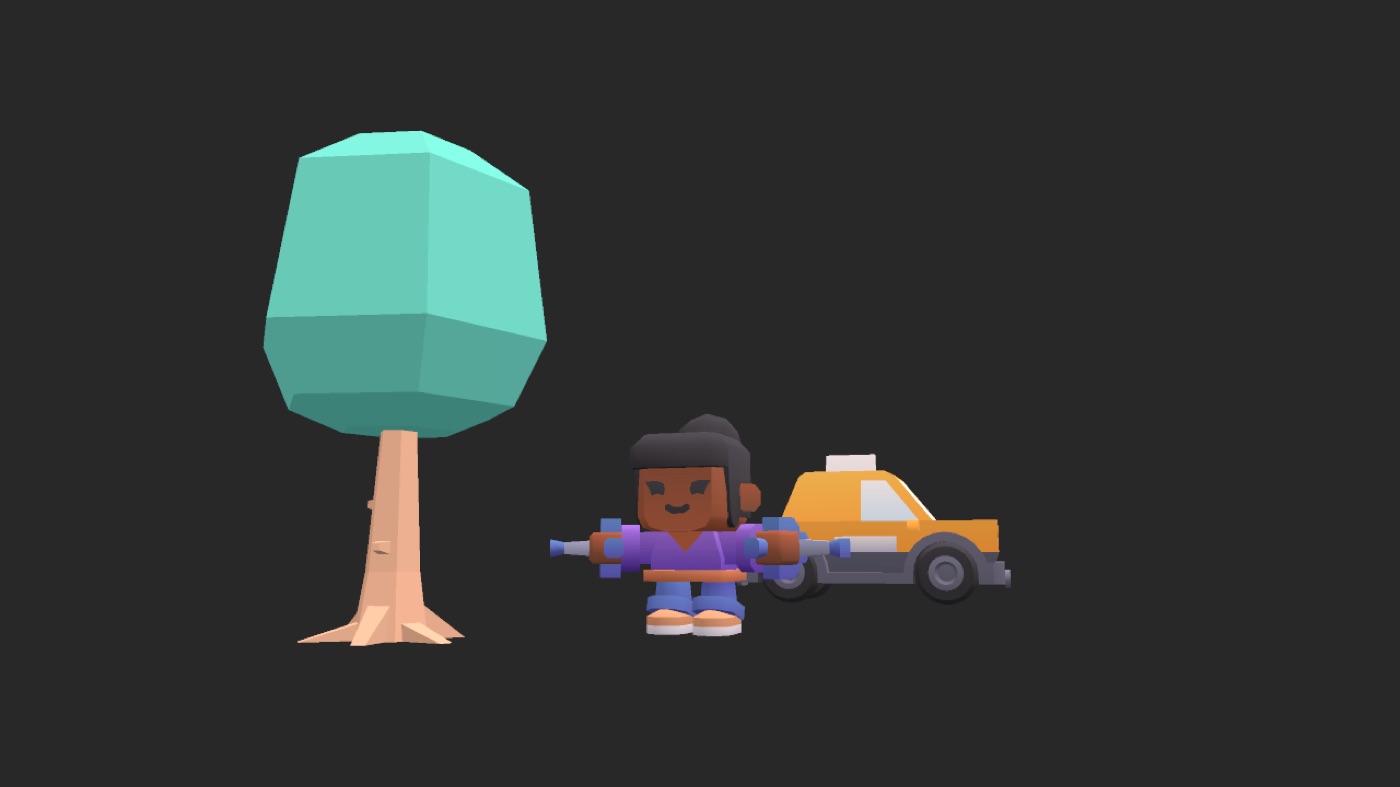
Low-poly 3D blockout: an oak tree on the left, a figure in the centre, a yellow taxi behind on the right3D capture
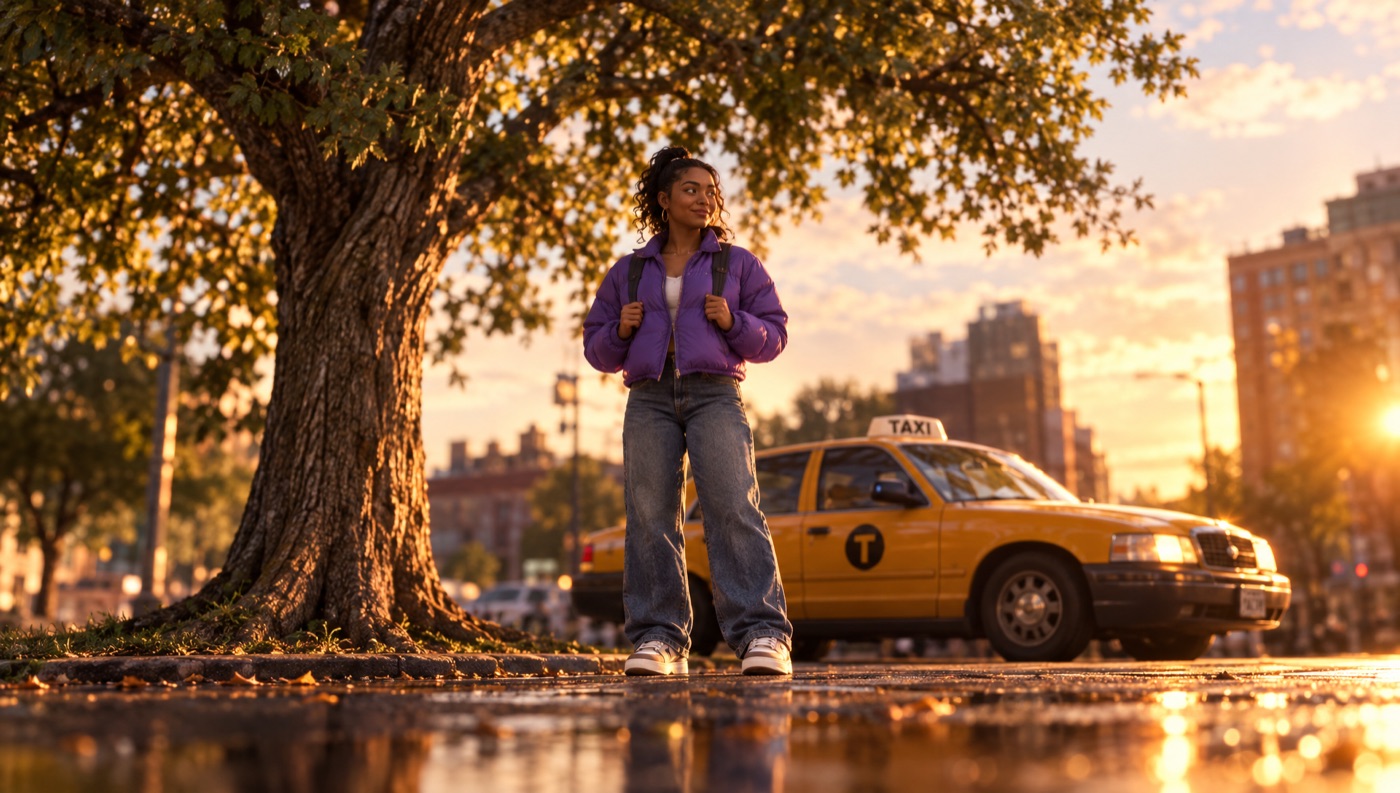
Photoreal street scene at golden hour with the same layout: oak tree left, a woman in a purple jacket centre, yellow taxi behindGenerated from it
The capture, then a GPT-Image 2.5 image generated from it in freebeat Studio.

3D stage

Block out the shot in 3D, then generate it.

Storyboard the shot on a 3D stage: drop figures, props and sets, move the camera and pick the lens and angle. Capture the frame and use it as the reference for a new image, so the picture follows the layout you set up.

  • Starter shelf of low-poly figures, props and sets
  • Camera position, lens and angle
  • Captures go straight to your library
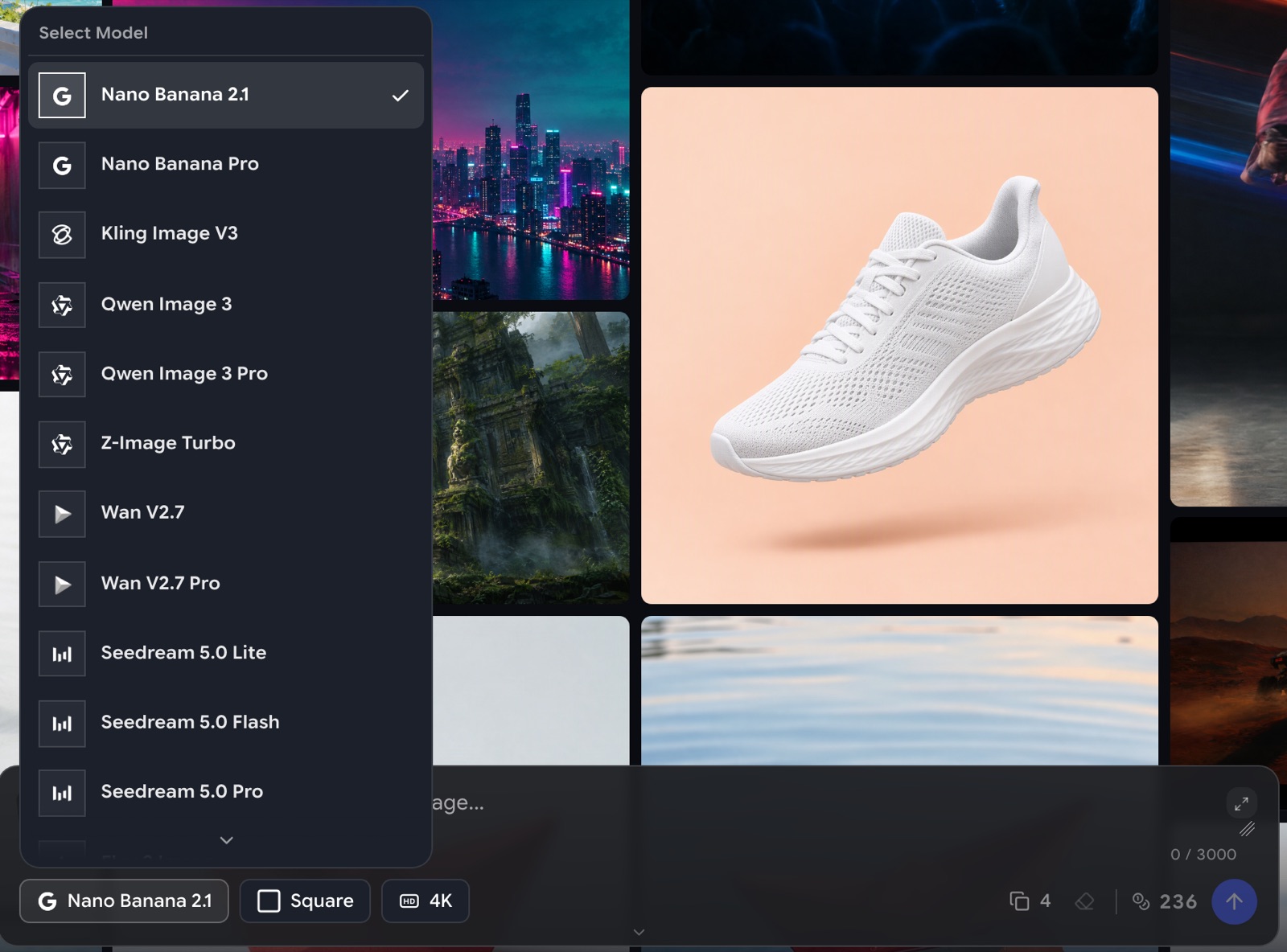
The model menu on freebeat Studio's Create image page listing Nano Banana, Kling Image, Qwen Image, Wan and Seedream models
The image model menu in Create image.

Models

30+ image and video models, one prompt box.

One AI image and video generator with 30+ models. Image models include Nano Banana, GPT Image, Seedream, Flux and Recraft. Video models include Seedance, Kling, Veo, Wan and PixVerse. Switch models without switching sites, and see the price on the generate button before you click.

  • Image, image editing and video models
  • Price shown before every generation
  • Model availability may change. Model names are trademarks of their respective owners; freebeat is not affiliated with or endorsed by them.
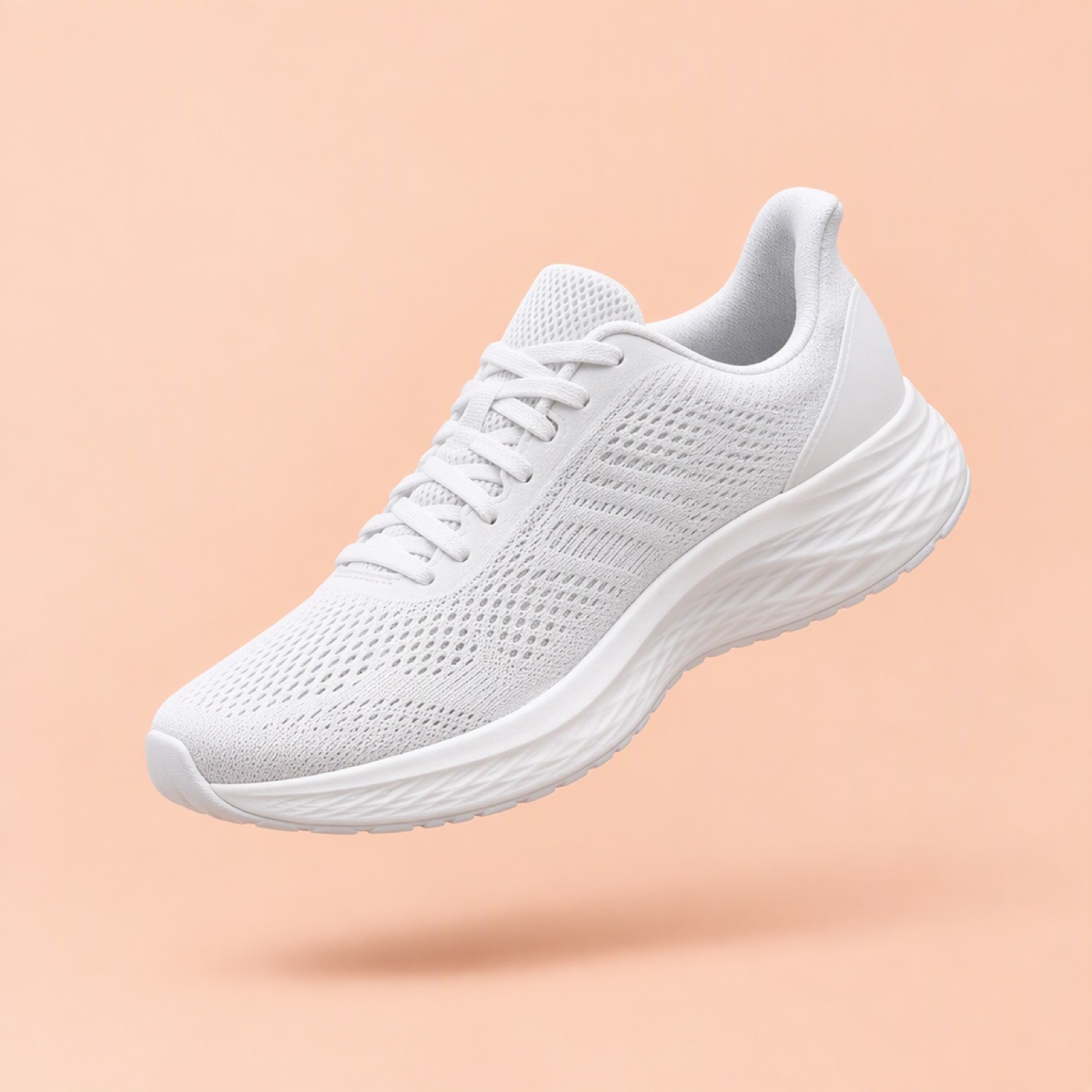
A white running sneaker floating above a pastel peach backdropBefore
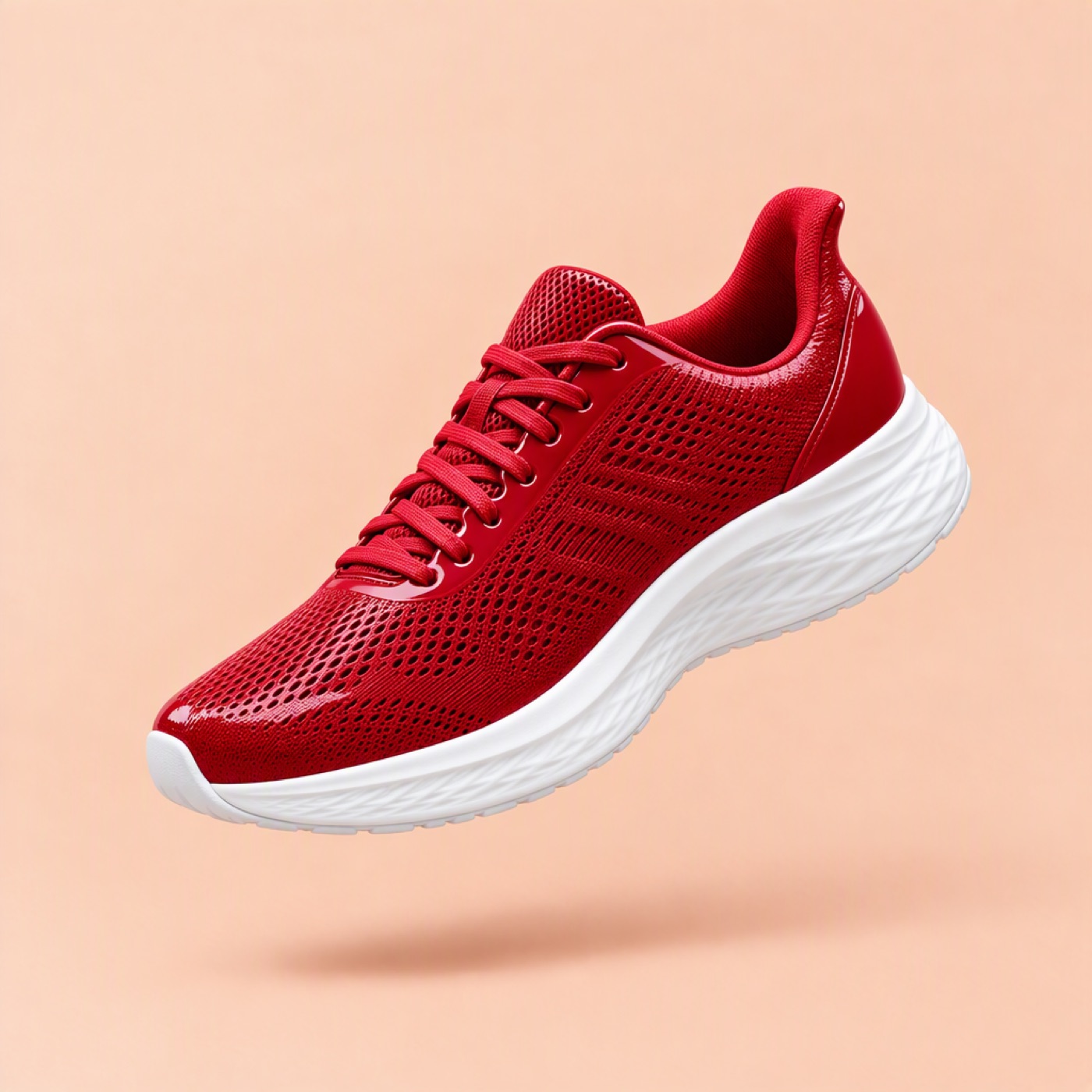
The same sneaker, now glossy cherry red with a white sole, same angle and backdropAfter
"Change the sneaker to glossy cherry red with a white sole", edited with GPT-Image 2.5 in freebeat Studio.

Edit

Edit a picture with a sentence.

An AI image editor that takes plain words. Describe the change, like "make the sneaker cherry red", and an editing model redraws the picture while keeping the shot: the same angle, background and light.

  • Change colours, materials and details
  • Keep the composition you already like

Video

Turn a photo into a video.

Image to video, or text to video. Start from a photo or a generated still, describe the motion, and depending on the model use a first frame, first and last frames, or reference images, then pick the length, ratio and resolution.

  • Image to video and text to video
  • First and last frame, or reference images, where the model supports it

Canvas

Lay it out on a canvas.

Put your images on a canvas, arrange the layers and add text for a cover, a poster or a moodboard. The agent can lay it out for you too.

  • Layers and text
  • Images straight from your library

Timeline

Cut it on a timeline.

Put clips, captions and music on a timeline, trim them and export an MP4. Ask the agent to lay your shots along a song, or arrange them yourself.

  • Clips, captions and music
  • MP4 export

Library

Find it by what's in it.

Your uploads, captures and generations sit in one library. Ask the agent for "the seaside shots" and it looks through your recent pictures, not just their names, then puts them where you need them.

  • Search by picture content
  • Uploads, captures and generations in one place

For music creators

Made for songs, too.

freebeat started with music. Studio shares your freebeat account and credits with the music video, lyric video and dance video tools, so the visuals around a release are made in the same place.

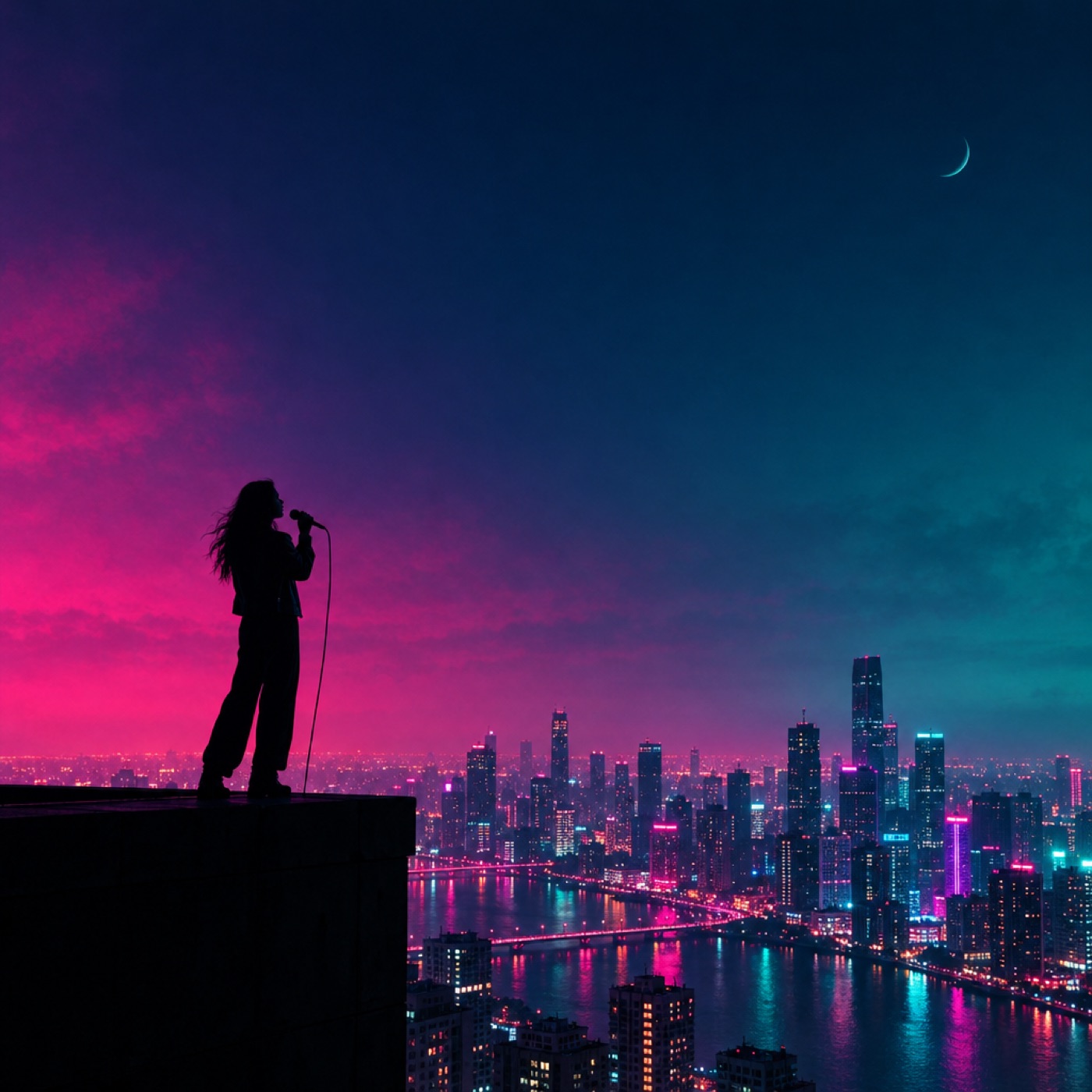
Square album cover: a singer silhouetted on a rooftop above a neon city at night

Cover art

Describe the look or stage it in 3D, frame it square and generate the cover. Fix details with a sentence instead of starting over.

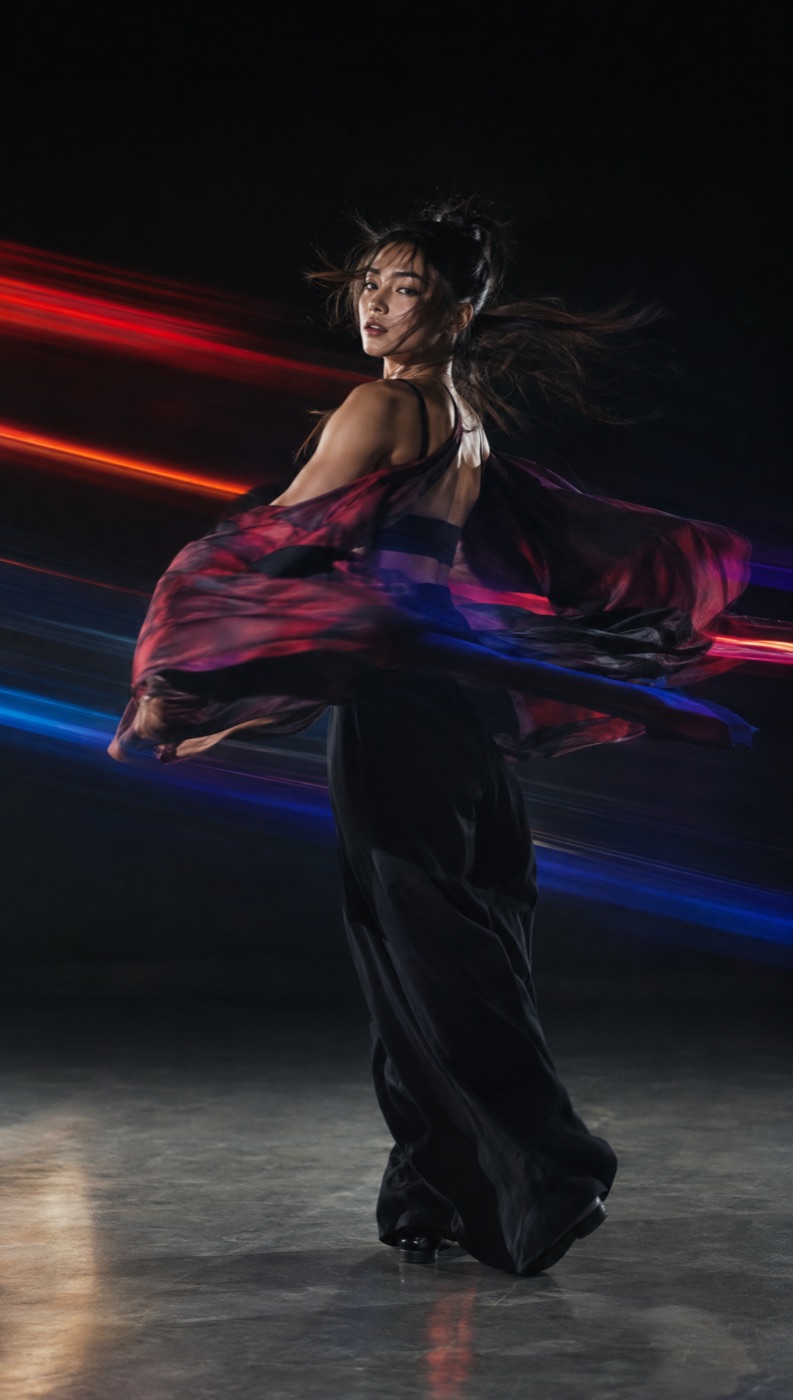
Vertical portrait of a dancer mid-spin with streaks of coloured light

Vertical clips

Generate a vertical still and animate it into a short clip for your streaming profile or a social post.

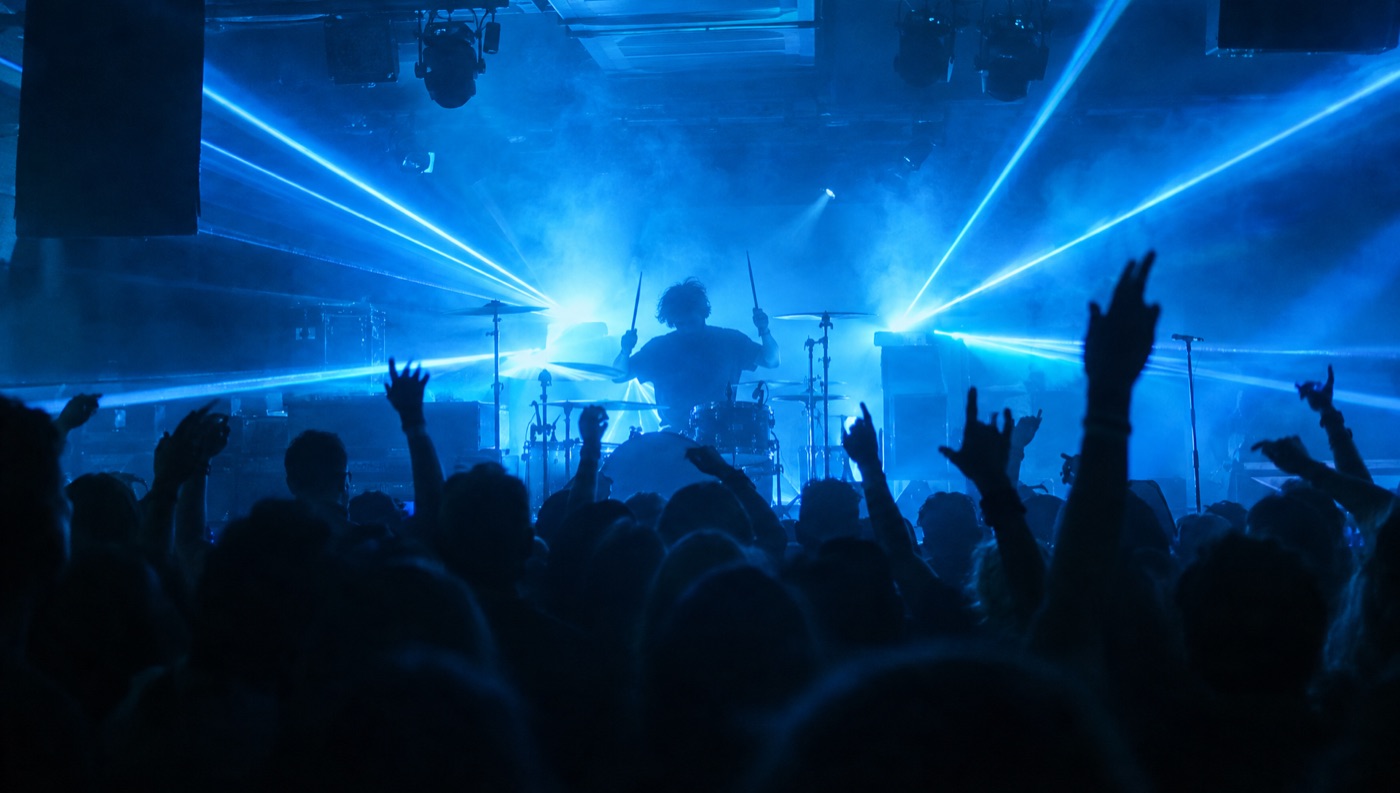
A club stage from the crowd, a drummer backlit by blue lasers in haze

Music video and live visuals

Generate the wide, the close-up and the stage shot from one idea, then drop in your song and lay the shots along it on the timeline.

The full music video

Want the whole video cut to your song? freebeat's music video agent builds it from your track.

Make a music video

Start on your phone. Stage on your computer.

Chat with the agent, create images and videos and browse your library on your phone. The 3D stage, the canvas and the video editor open on a computer.

Your freebeat account. Your freebeat credits.

freebeat Studio uses the same login and credit balance as freebeat's music video, lyric video and dance tools. The agent shows the cost before it runs anything paid.

See plans

Common questions

What should you know about freebeat Studio?

What is freebeat Studio?

A browser-based AI creative studio from freebeat.ai. It brings image and video generation with more than 30 AI models, a 3D stage, prompt-based image editing, a canvas, a video timeline and a searchable library into one place, with a built-in agent that uses those tools for you. You can also do each step yourself.

What can I make with it?

Images and short videos for whatever you are working on: film stills and storyboards, product shots, concept art, social posts, covers and music video shots. You can stage a shot in 3D first, edit a picture with a sentence, lay images out on a canvas and cut clips on a timeline.

What does the agent do?

You describe what you want and the agent uses the studio's tools to make it: it places and moves objects on the 3D stage, sets and captures the camera, generates images and videos, edits pictures, lays out the canvas and cuts the timeline, one step after another. Before any generation that costs credits it shows what it will make and the total, and only runs after you approve.

Do I need to download anything?

No. It runs in your browser, on a computer or a phone.

Which AI models can I use?

More than 30 image and video models. Image models include Nano Banana, GPT Image, Seedream, Flux and Recraft. Video models include Seedance, Kling, Veo, Wan and PixVerse. The list changes as models are added or retired. Model names are trademarks of their respective owners; freebeat is not affiliated with or endorsed by them.

What is the best AI image generator?

The best one depends on the picture, which is why Studio puts the leading image models side by side: Nano Banana, GPT Image, Seedream, Flux and Recraft. Run the same prompt on two models and keep the result you like. The price is on the generate button before you click.

What is the best AI video generator?

It depends on the shot. Studio gives you Seedance, Kling, Veo, Wan and PixVerse in one prompt box, so you can try the same idea on more than one model, compare the clips and keep the best. Each model shows its lengths, ratios and price before you generate.

How do I turn a photo into a video with AI?

Open Create video, add your photo as the first frame, describe the motion and pick a model, length and ratio. Check the price on the generate button, then generate. Or give the photo to the agent and tell it how the scene should move.

Can I storyboard a shot with AI?

Yes. The 3D stage works like a storyboard you can move around: place figures and props, set the camera, lens and angle, capture the frame and generate a finished image that follows the layout. The agent can set up the stage for you from a description.

How does pricing work?

Studio uses your freebeat credits, the same balance as freebeat's music video tools. Different models cost different amounts, and the price shows before you generate. The agent always shows the cost and waits for your OK before a paid generation. See plans at freebeat.ai/pricing.

Will the agent spend my credits without asking?

No. The agent can move things in your scene, edit your canvas and cut your timeline freely, but before any generation that costs credits it shows what it will make and the total, and only runs after you approve. The total is a list price; your coupons can make the charge lower.

Which language model runs the agent?

You pick it from a list of current models from several providers. They differ in speed and in how well they handle each tool, so if one struggles with a task, try another.

Can I use it on my phone?

Yes. You can chat with the agent, create images and videos and browse your library on a phone. The 3D stage, the canvas and the video editor need a computer.

I make music. How is this different from freebeat's music video agent?

The music video agent turns your song into a finished music video. Studio is where you build individual visuals shot by shot, such as a cover, a vertical clip or a specific scene, with control over the camera, the framing and the model. Both use the same account and credits.

Which 3D figures and props are included?

A starter shelf of low-poly figures, props and sets from CC0 packs, which are free for commercial use.
Explore more

More freebeat tools